Penport: A perfect bridge for your Agentic Workflow
Penport is a Figma plugin that imports Pen.dev designs into Figma as native, editable nodes, not screenshots. Built entirely using AI and a custom Agentic workflow with real users.

130+
Real users on Figma Community
19
Releases shipped in 2 months
61
Github commits

Why this project and case study?
While learning Design Engineering, I wanted to work on an real product that people will use instead of working on random untested concept ideas, so I challenged myself to use of my learnings to build a real product with my own Agentic Workflow that I built during my practice sessions.
This case study also shows my process, my decisions with proper reasoning behind them, and issues I encountered, to actually shipping the product and getting feedback from real users.
Spoiler: Users were really happy with the result 🙂
What is Pen.dev?
Pen.dev is a new AI-native design tool similar to Figma but with agentic design approach. It looks and feels and works very similar to Figma but in pen.dev you design with agents directly on the canvas and can iterate on the designs very quickly. The reason why pen.dev is better that Figma in agentic design is beacuse of the it’s json like format and inbuilt skills and taste.
The Problem
Pen.dev is no-doubt a very promising design tool compared to other competetiors, but Figma is where design systems, components, handoff, and collaboration live. Designers who explore or ideate in Pen.dev hit a wall the moment their work needs to enter a real product workflow: there was no way to get your ideated designs from Pen to Figma as anything other than a flattened screenshot.
That wall has a cost, and I know because I was the user:
→
Screenshots aren't designs: A pasted image can't be restyled, inspected, prototyped, or handed to engineers.
→
Manual rebuilding is hours of pixel-pushing: Recreating layouts, text styles, and gradients by eye, one layer at a time.
→
Design system fidelity is lost: Variables, components, and auto layout simply don't survive a copy-paste between tools.
I checked some existing plugins. No plugin worked perfectly, broken design imports, lacked the ability to import tokens and components, layout issues, etc.. none achieved the perfection I wanted, and cannot be used for my Agentic workflow, and not only me but many other people had the same problem.
What I knew even before starting the project
Designers exploring Pen.dev hit a wall the moment work needs to move into Figma, where design systems and handoff live. The only option was a flattened screenshot. No restyling, no prototyping, no handoff; rebuilding by hand meant hours of pixel-pushing with variables and components lost along the way. Nothing existed to fix this, so this is where I decided to build it myself.
I remembered that Tom (the guy who built pen.dev) talked about Pen’s file format being Open unlike Figma which uses a closed file format. With this info. I had a rough idea of building a parser that can convert data from pen's format to Figma's format (and this is where AI will help!)
Solution: Penport, a Figma plugin with an intelligent, custom built parser.
Penport rebuilds Pencil designs in Figma as real, editable nodes, frames with auto layout, live text, vectors, design variables, and components all arrive intact, so the imported file stays a working design system rather than a pile of flattened images.
Drop a file, browse a tree view of every node, check exactly what you want, and import only that. Selective import keeps canvases clean.
What crosses the bridge
How Penport translates it
Frames & auto layout
Native frames with auto layout: direction, padding, gap, and alignment detected from Pencil's CSS-flexbox-like model
Text
Editable text with family, weight, size, line height, letter spacing, and alignment — with graceful font fallbacks
Vector paths
Figma Vector Networks, including compound paths with proper evenodd winding for holes
Gradients & effects
Linear, radial, and angular gradients with correct rotation math; shadows, layer blur, and background blur
Design variables
Real Figma variables created and bound to node properties, or decomposed to static values, user's choice
Components
Reusable Pencil nodes become ComponentNodes + Instances, with icon swap support and descendant overrides
Icons
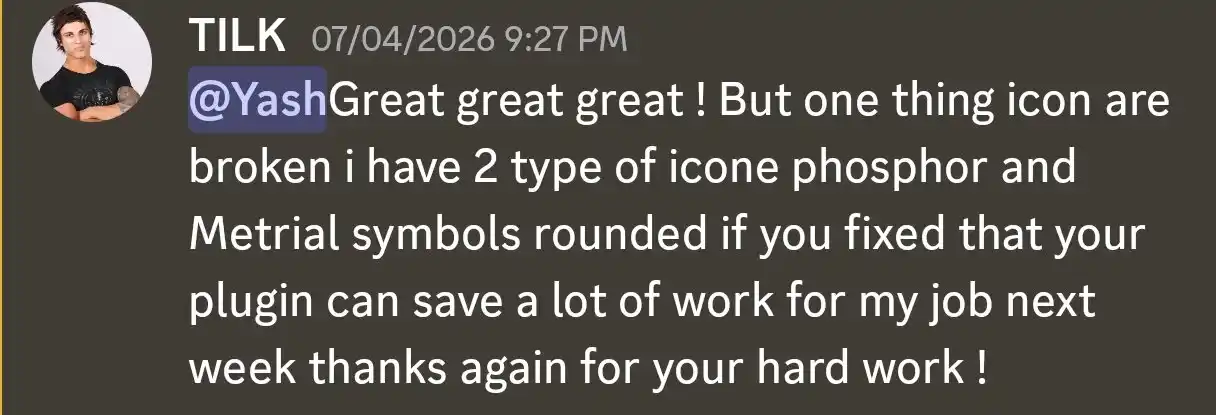
Smartly converts icons from Icon libraries like Lucide, Phosphor, Feather, and Material Symbols into Figma component sets
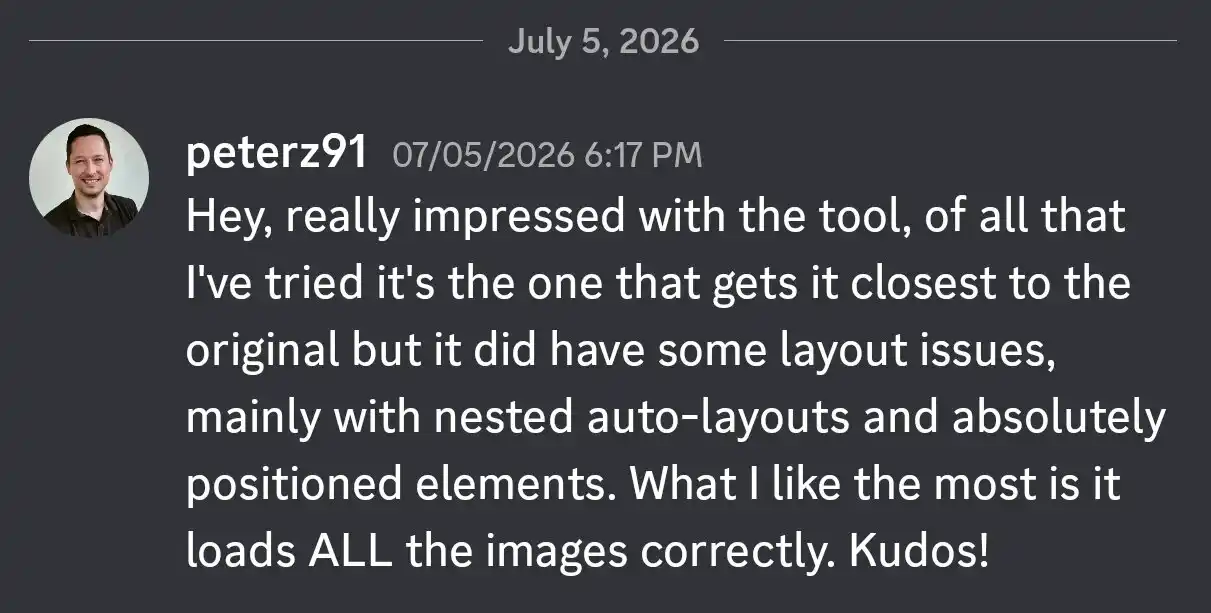
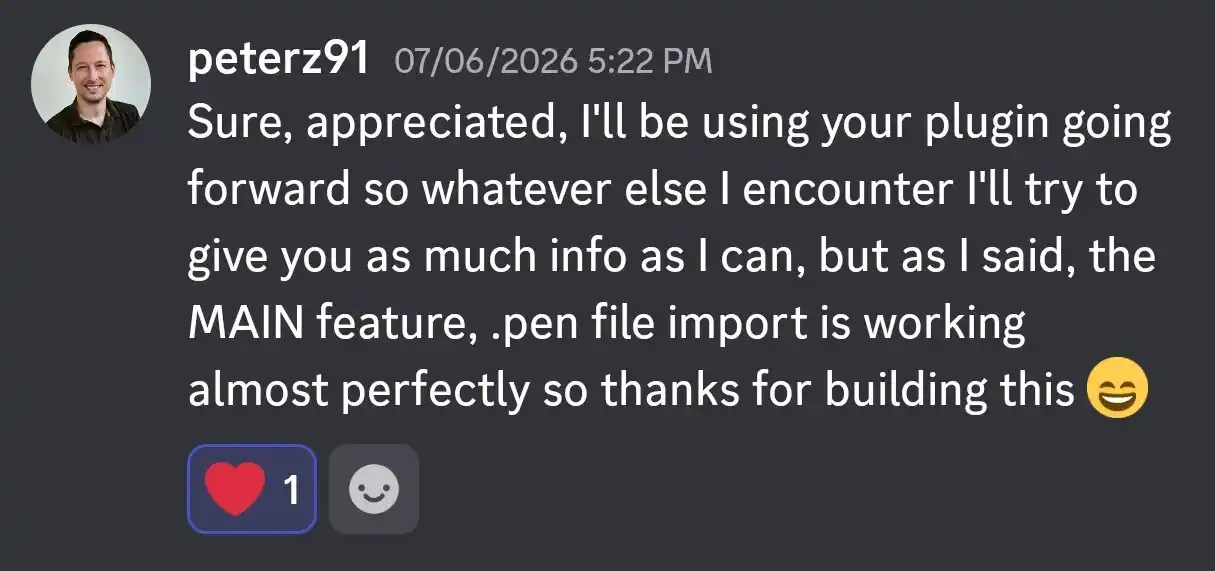
Impact: Users loved the tool and are using it frequently.
130+
real users on Figma Community
3 import engines: .pen file, HTML code + file, and live paste mode
61 commits and 19 releases in two months with a public changelog




MY PROCESS
My Part in the workflow
The AI wrote code, but every decision, every acceptance test, and every quality bar was mine. I acted as a Manager, directing the agents and not just blindly prompting and hoping for a good output (that's vibe-coding not design-engineering 😶)
So here's what I actually did:
Defined the import modes, the layer tree, and every UI state, then used the plugin on real designs and turned every friction point into the roadmap.
Designed the type system and module structure, and wrote the phased plan the AI executed — decisions up front, ambiguity removed in advance.
Set the rules, reviewed every output, and drove the debug loop: reproduce, hypothesize with AI, verify against ground truth, write it down.
Ran manual test passes in Figma on every build, then published all 19 releases to Figma Community by hand.
Built doesn't mean Done and Done doesn't mean Good!
Working with AI, it gives us a working product. but "working" doesn't always mean good, often times AI agents miss out some critical edge cases, and so I clearly defined what "Done" had to mean:
→
Native nodes, or it doesn't count: Real editable Figma layers, never flattened images.
→
Faithful to the source: Colors, type, and spacing must match what Pen renders. I didn't want to settle for "Close enough".
→
Design systems survive the trip, variables land as variables, reusable nodes land as components.
→
If any element import fails in the process, it logic should not abort the import, rather it should traverse the entire DOM tree and import other elements while providing proper error messages for the failed ones!
→
Test early with users: Testing the real published plugin with users and fixing the critical bugs (if any)
I didn't prompt my way to a plugin. I engineered a Systematic Workflow.
An agent given a prompt produces output. An agent given a specification with acceptance criteria produces something I can review. So I never wrote a prompt, instead I wrote a few files that function as a contract, and the agent's job was to satisfy them.
# The files that steer every agent session
ai_agent_instructions.md # hard rules & forbidden zones
Implementation_Plan.md # 9-phase execution contract
learnings.md # durable API & format knowledge
CHANGELOG.md # shipped-truth, versioned
FUTURE.md # backlog & known gaps
Why files beat prompts
A prompt evaporates when the session ends. A file in the repo is loaded by every future session, every new agent, every refactor, the guidance compounds instead of resetting.
The documents are also a design artifact: writing an implementation plan precise enough for an AI to execute forced me to make every ambiguity explicit.
Calls I made, and where they landed.
Started with
Evolved into
Quick static values for design tokens
A predictable first version that shipped fast.
Real Figma variables, user's choice
Design systems now arrive intact, or decomposed, per import.
Icons as an installed font
Cheap, but required a font install and broke often.
Smart Icons Component Set
Icons smartly get imported as Component set so no more font installs needed. Users can just swap the instances.
One import engine
Precise, but blind to anything the export omitted.
Two engines, one plugin
A second browser-based engine captures what the first can't see. Direct HTML code to Figma's native elements.
Early user testing, with both Designers and Developers!
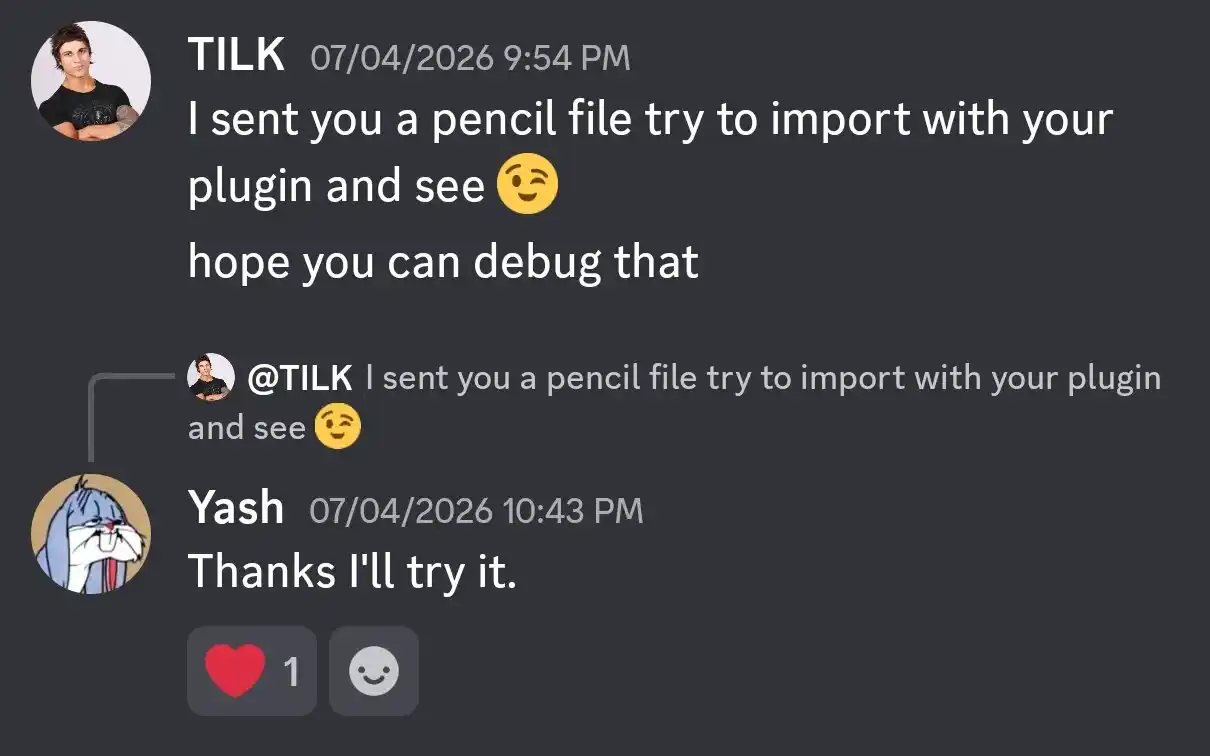
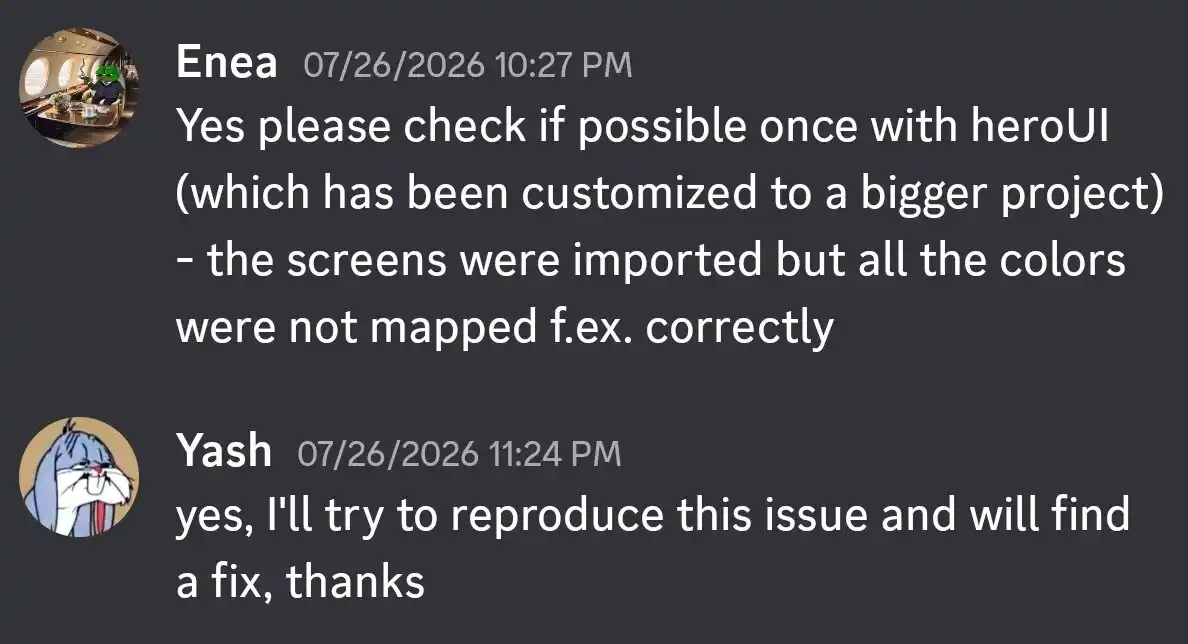
I did some early user tests with both designers and developers. Where did I get the users from you might ask?, so pen.dev has their own discord channel where the devs and users discuss issues about the products. I also frequently participate in the discussion and so found many users who specifically mentioned this particular issue with the round trip between these two tools.
So, I reached out to some of these users and also proposed them my solution to their problems after my MVP release was ready on the Figma Community. This way I also got some really good feedback and appriciation🙂

The failures were the curriculum.
Ofcourse I encountered a LOT of bugs, but each one taught me something about directing AI through unknown territory. The pattern that worked for me:
I reproduce the failures and describe it precisely -> the AI proposes explanations -> we verify against ground truth -> the direction gets documented for every future session.
So I also used the AI as a search engine to figure out possible solutions to bugs by deep testing and providing proper feedback and then deciding the direction to proceed.
Shipped, public, and used by real people.
130+
real users on Figma Community
3 import engines: .pen file, HTML code + file, and live paste mode
61 commits and 19 releases in two months with a public changelog
Small numbers, I know, but real ones. Every one of them uses something I architected, tested, and shipped.
My learnings and takeaways
Ideas are no longer trapped in Notion: I think the rise of AI and agentic development has fundamentally changed what it means to be a "builder." As a designer and tech enthusiast, I used to have countless ambitious ideas that lived and died on paper or in Notion docs because I lacked the deep software engineering skills to execute them (even though I'm a computer engineer). But now, with AI acting as the development engine and me as the manager, the barrier between concept and a shipped, usable product has completely collapsed.
System design is the new coding: Building a complex parser with an Agentic workflow taught me that being an AI "Manager" requires rigorous upfront planning. The AI can write the functions, but without defining a clear type system, module structure, and phased plan beforehand, it easily gets lost. Moving from "vibe-coding" to true design engineering means setting the rules and removing ambiguity before the AI writes a single line.
I initially built Penport because I hit a wall trying to move my own ideations into a real handoff environment. Seeing over 100+ users organically adopt my tool validated a core product lesson: if you fix a genuine bottleneck in your own day-to-day workflow, you are likely solving a widespread industry problem.
Pushing 19 releases in just two months showed me the value of shipping fast and iterating. Getting the tool into the hands of real users meant encountering edge cases and broken imports I couldn't have predicted. Running the loop of reproducing the issue, hypothesizing with AI, verifying against the ground truth, and shipping the fix was the real engine of Penport's success.
So let’s answer a question most designers ask currently
Can you build a Full-Stack product using AI?
Yes, but not by just "prompting" it into existence.
To actually ship a working product, you do need an understanding of PDLC (product development lifecycle) and system design. Yes you no longer need to memorize syntax or be a senior developer, but you do need to step up and act as the Engineering Manager.
Thanks for reading till the end!
You can check out the plugin on Figma community and also DM me on Discord (yash_2911) if you have any feedback for the tool or any to report (I'll make sure to raise a ticket 🙂)